Vehicle inspections drivers finish in 2 minutes.

Guided pre-trip and post-trip DVIRs on the phone, defects with photos, repair sign-off and a live fleet board — built for FMCSA §396.11 and §396.13.

No credit card to start. Drivers and managers are free — you pay per vehicle.

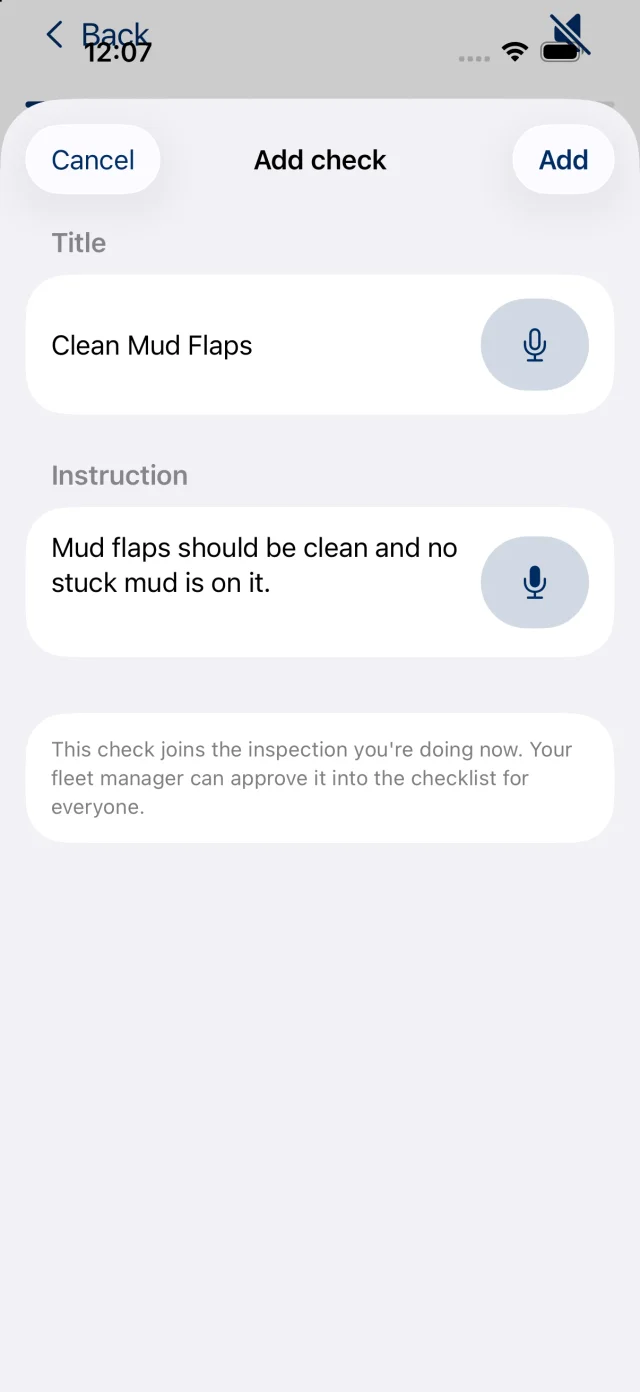
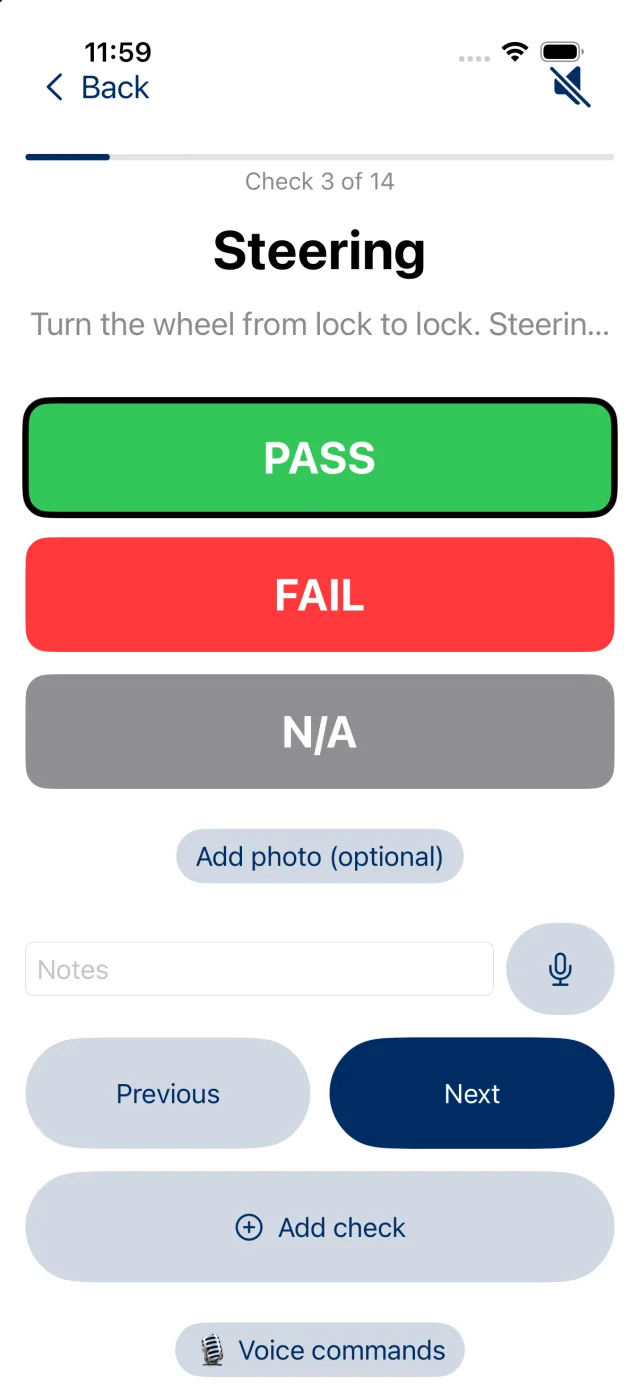
A check during a pre-trip inspection

Everything a DVIR needs, nothing it doesn't

One app for drivers, one console for the office. Every inspection is signed, timestamped and kept for the 3 months the regulation asks.

✓

Guided checklists

Pre-trip and post-trip checks for each vehicle type, with weekly and monthly items folded in when they're due.

⚡

Works offline

No signal at the yard? Inspections save on the phone and send themselves when the connection is back.

📷

Defects with proof

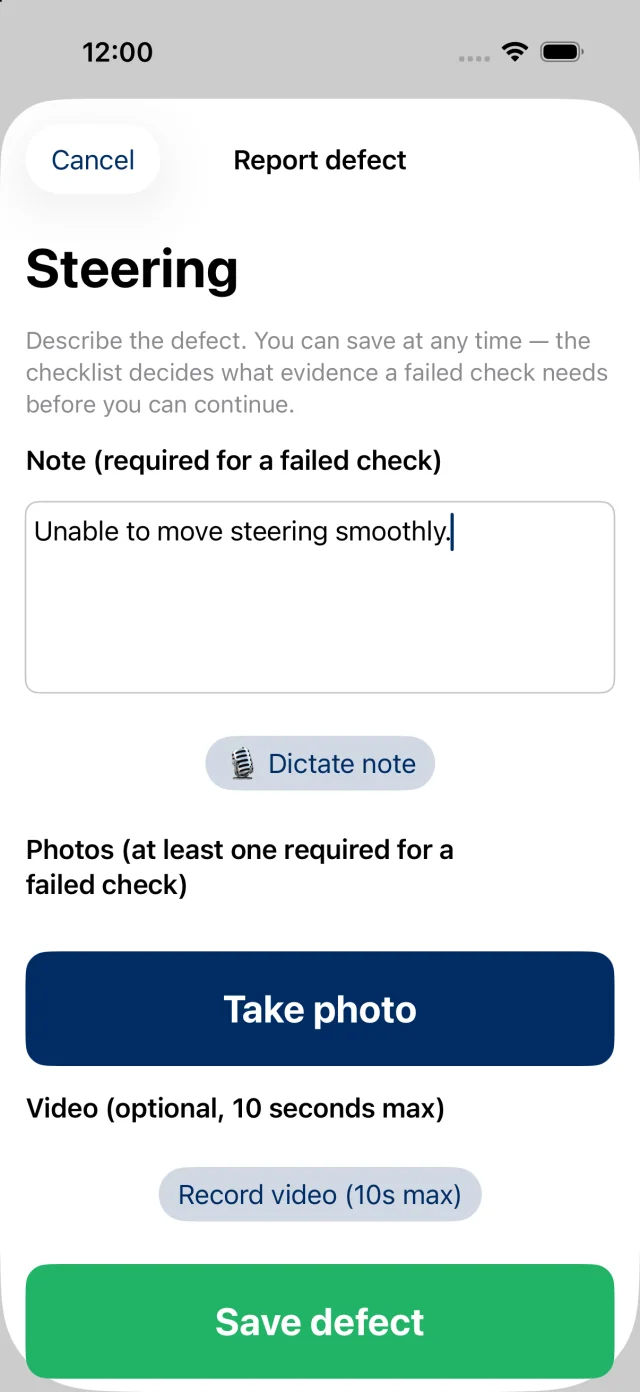
A failed check takes a photo and a note, so the shop sees exactly what the driver saw.

🔧

Repair certification

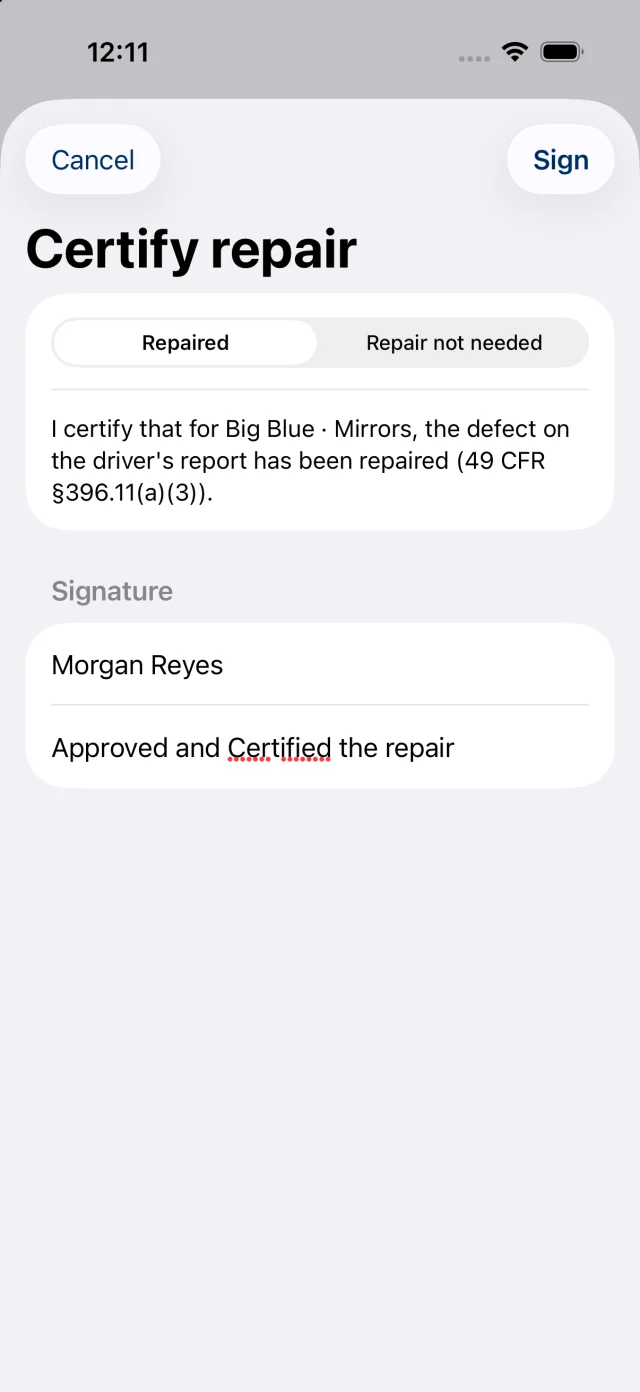
Managers mark repairs and sign them off from the phone or the web — the §396.11 certification, done.

📊

Fleet board

See which vehicles were inspected today, which are missing and which have open defects — at a glance.

🗂️

Records and documents

90 days of inspections to search and download, plus registrations, insurance and medical cards with expiry alerts.

🔍

Scan the VIN

Point the camera at the VIN plate or the door-jamb barcode to add a vehicle — no typing 17 characters.

🎙️

Hands-free when needed

Dictate defect notes and answer checks by voice ("pass", "fail", "next") with gloves on.

🔔

Nothing slips through

Notifications for new defects, overdue weekly and monthly checks, expiring documents and repair sign-offs.

A checklist that grows with your fleet

Start with the 11 FMCSA checks every DVIR needs, then make it yours — and keep learning from every roadside stop and every driver.

Your own checks

Add the checks your trucks actually need

The 11 §396.11 checks are always there. Add your own on top — liftgate, reefer temperature, load straps, DEF level — and choose exactly what each one asks for.

  • Per vehicle type: tractors, trailers, box trucks, pickups, vans, buses
  • Pre-trip, post-trip, or folded in weekly, monthly, quarterly or yearly
  • Evidence rules per check: photo, 10-second video, note, number (tread depth in 32nds), choice, yes / no, odometer reading — required always, only on a fail, or never
  • Publish and every next inspection uses it; old reports still show exactly what was asked
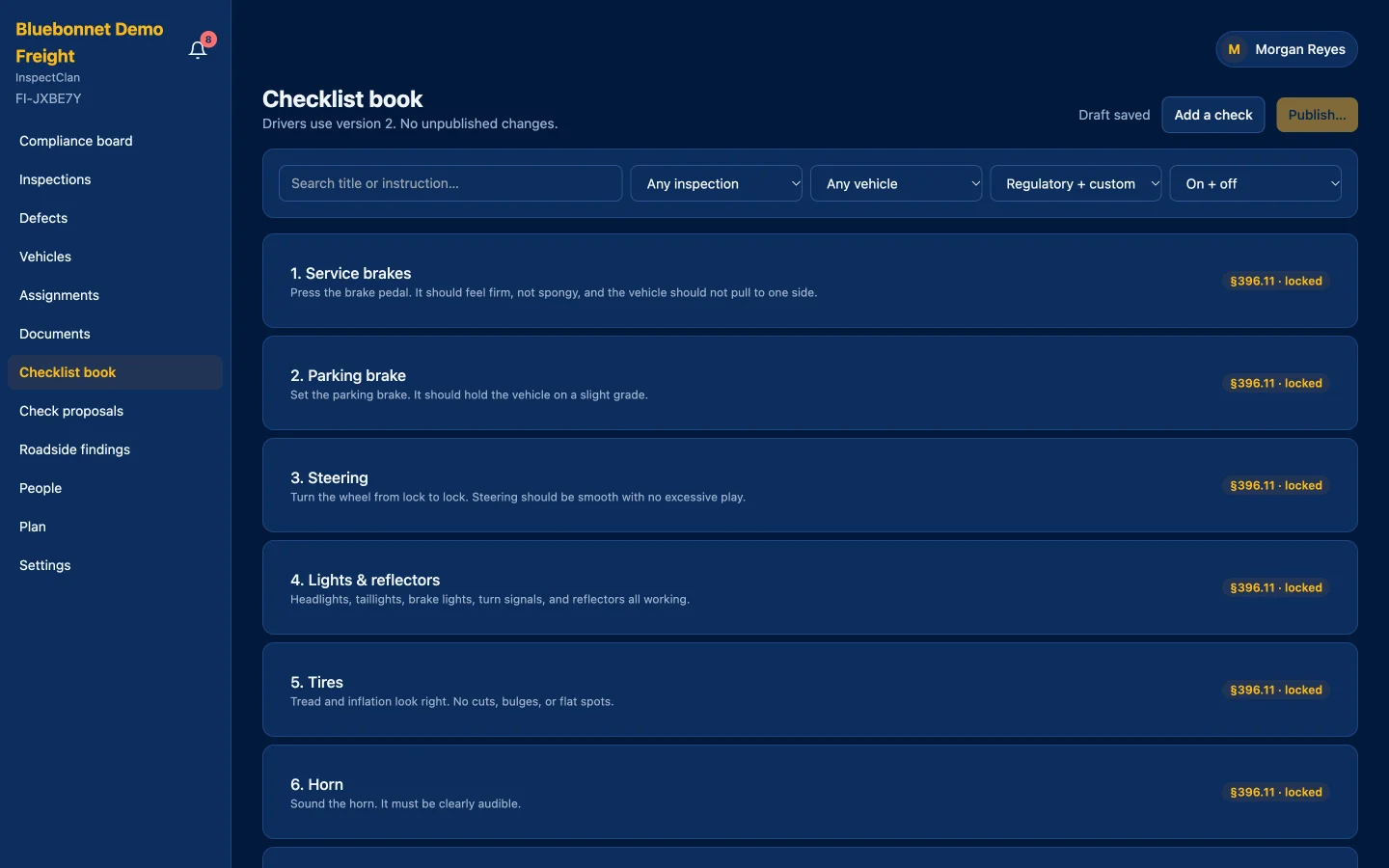
console.inspectclan.com/checklist
Checklist book editor with custom checks

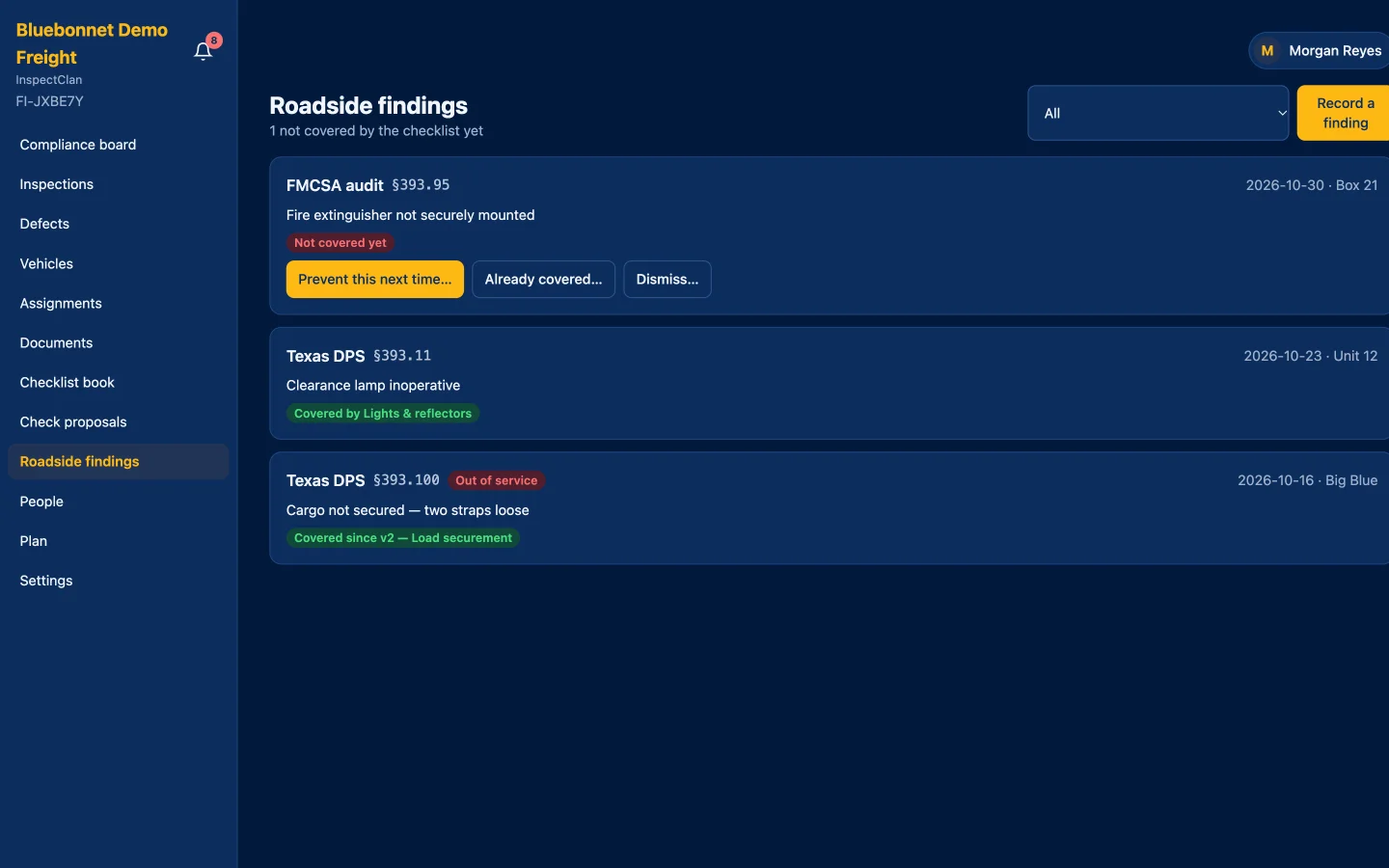
Roadside findings

Never get written up for the same thing twice

When a DOT officer, an auditor or the police find something your inspection missed, record it — violation code, out-of-service order, the report photo or PDF. InspectClan suggests the closest check from the violation code and turns the finding into a new check, or a new evidence rule on an existing one.

  • "Prevent this next time": one guided step from finding to check
  • Uncovered findings stay on the dashboard until they are covered or dismissed
  • Each covered finding shows the checklist version that closed the gap
console.inspectclan.com/findings
Roadside findings and their coverage

Driver-proposed checks

Your drivers see it first — let them say so

Drivers spot what the checklist doesn't cover. From the inspection itself they can propose a new check on the spot; the owner or fleet manager approves it into the checklist with a tap, and the driver hears when it's in.

  • Propose from the phone, in the middle of an inspection
  • Approve or decline on the web — approved checks join the next published version
  • Drivers can also request a vehicle by VIN; the office approves the assignment
A driver proposing a new check

The back office, in one console

Owners and fleet managers run the fleet from the web — on a desktop, a laptop or an iPad. Everything a driver sends arrives here the moment it syncs.

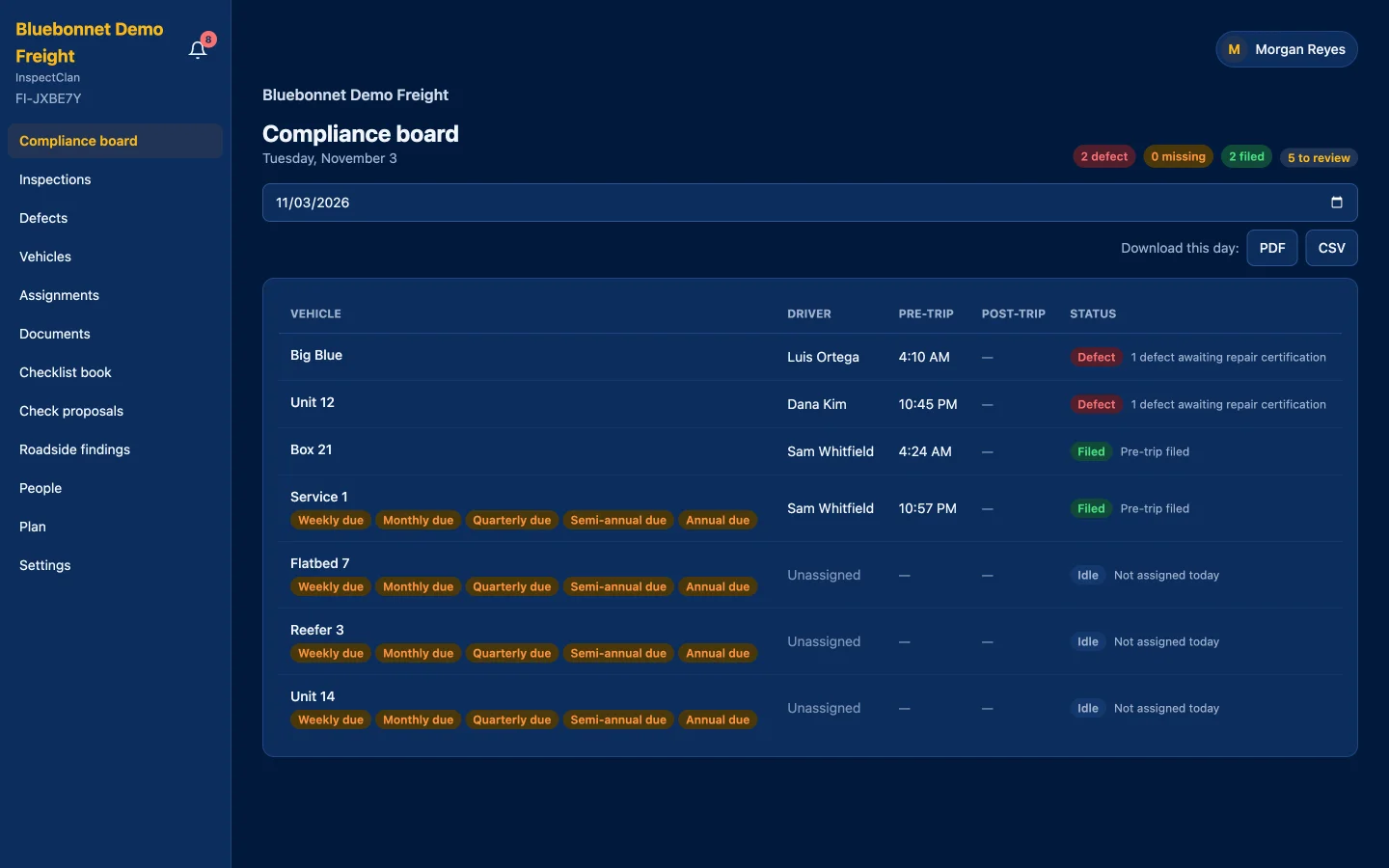
console.inspectclan.com/
Fleet status board
Fleet status boardWho inspected what today, what's missing, open defects — and a PDF / CSV report for any of the last 90 days.
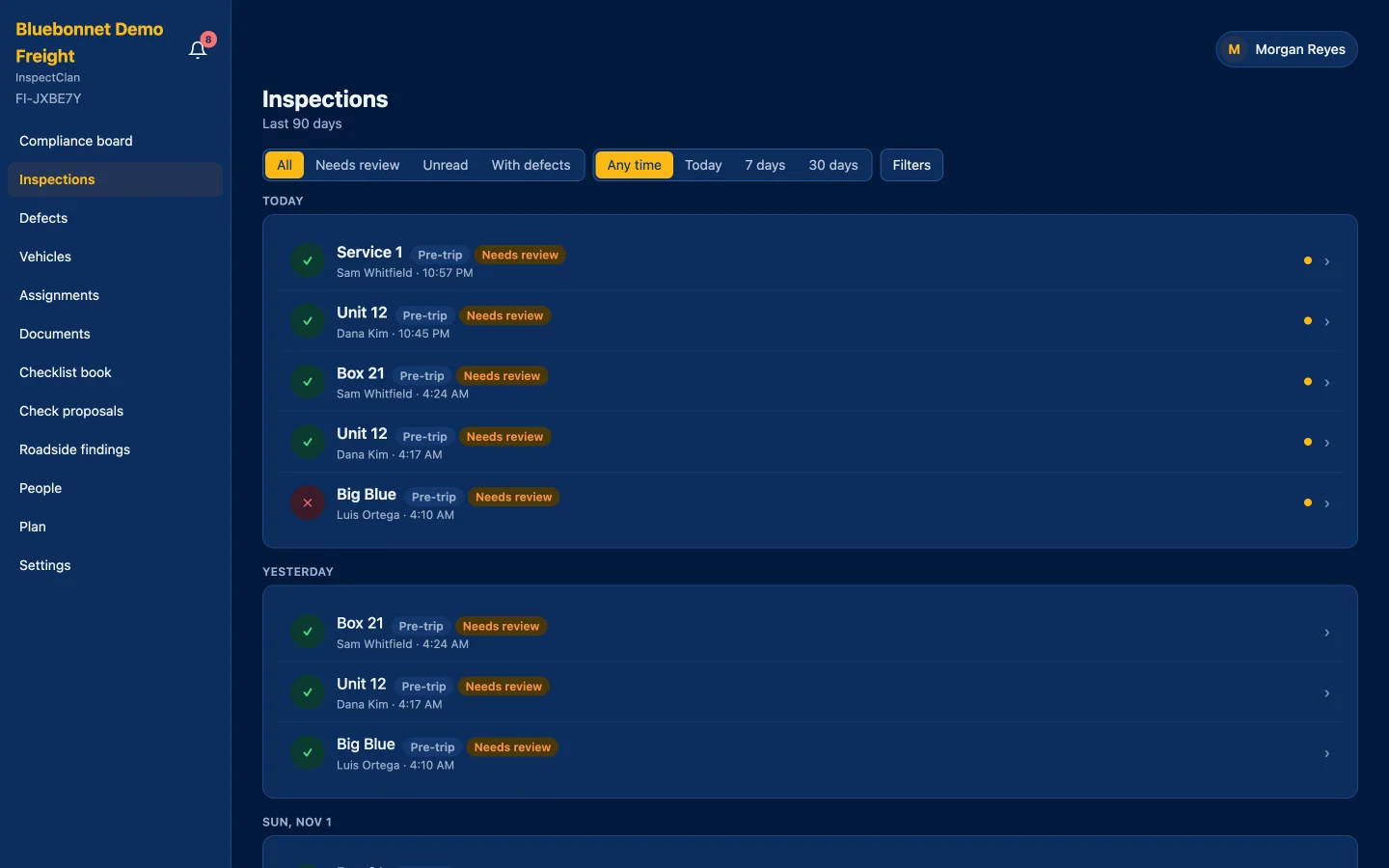
console.inspectclan.com/inspections
Inspection detail with photos and signature
Inspections, reviewedEvery answer, photo and signature; mark each inspection reviewed, or turn reviews off.
console.inspectclan.com/defects
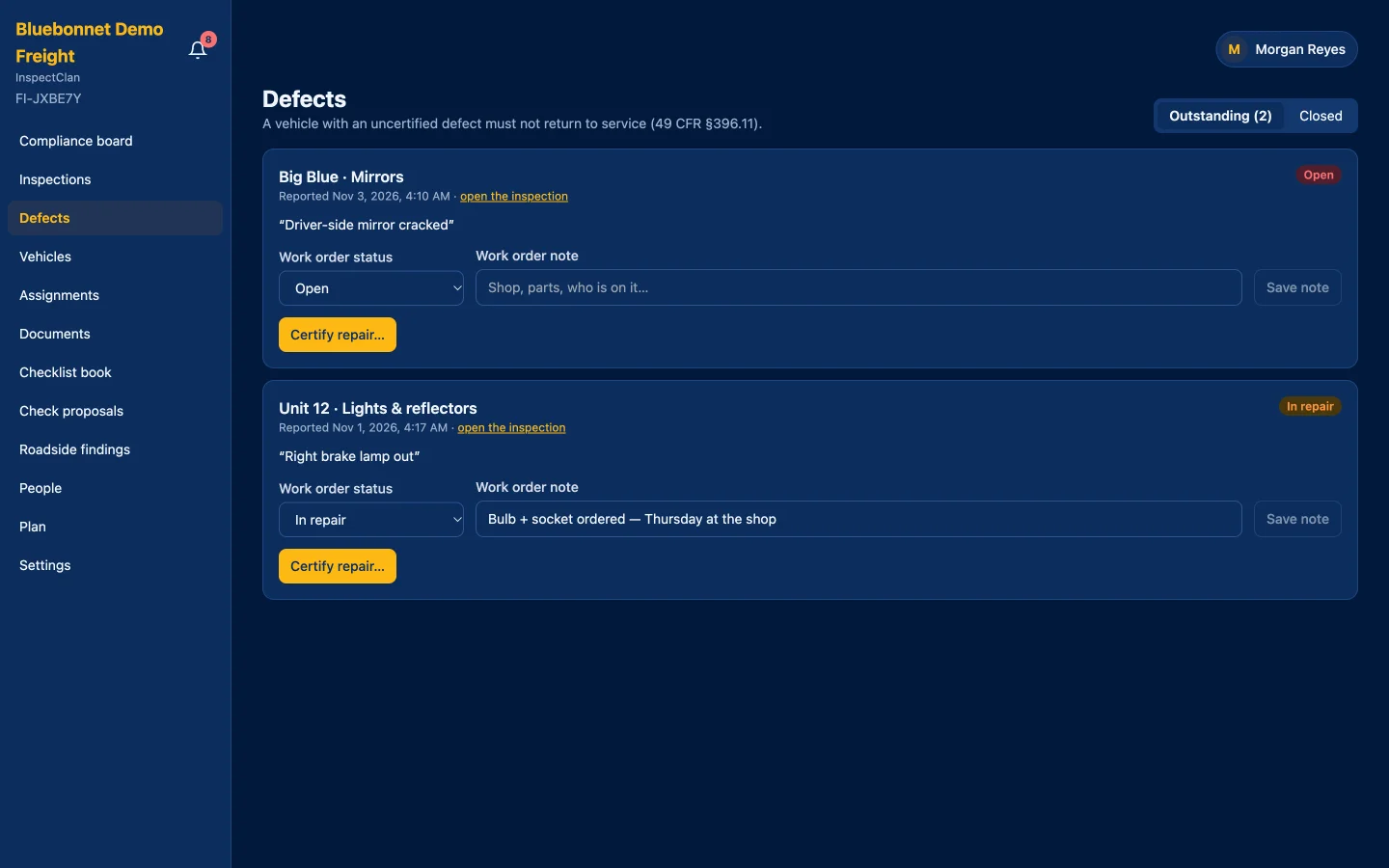
Defect queue with repair certification
Defects to repair certificationWork-order notes, in-repair status and the signed §396.11 certification.
console.inspectclan.com/vehicles
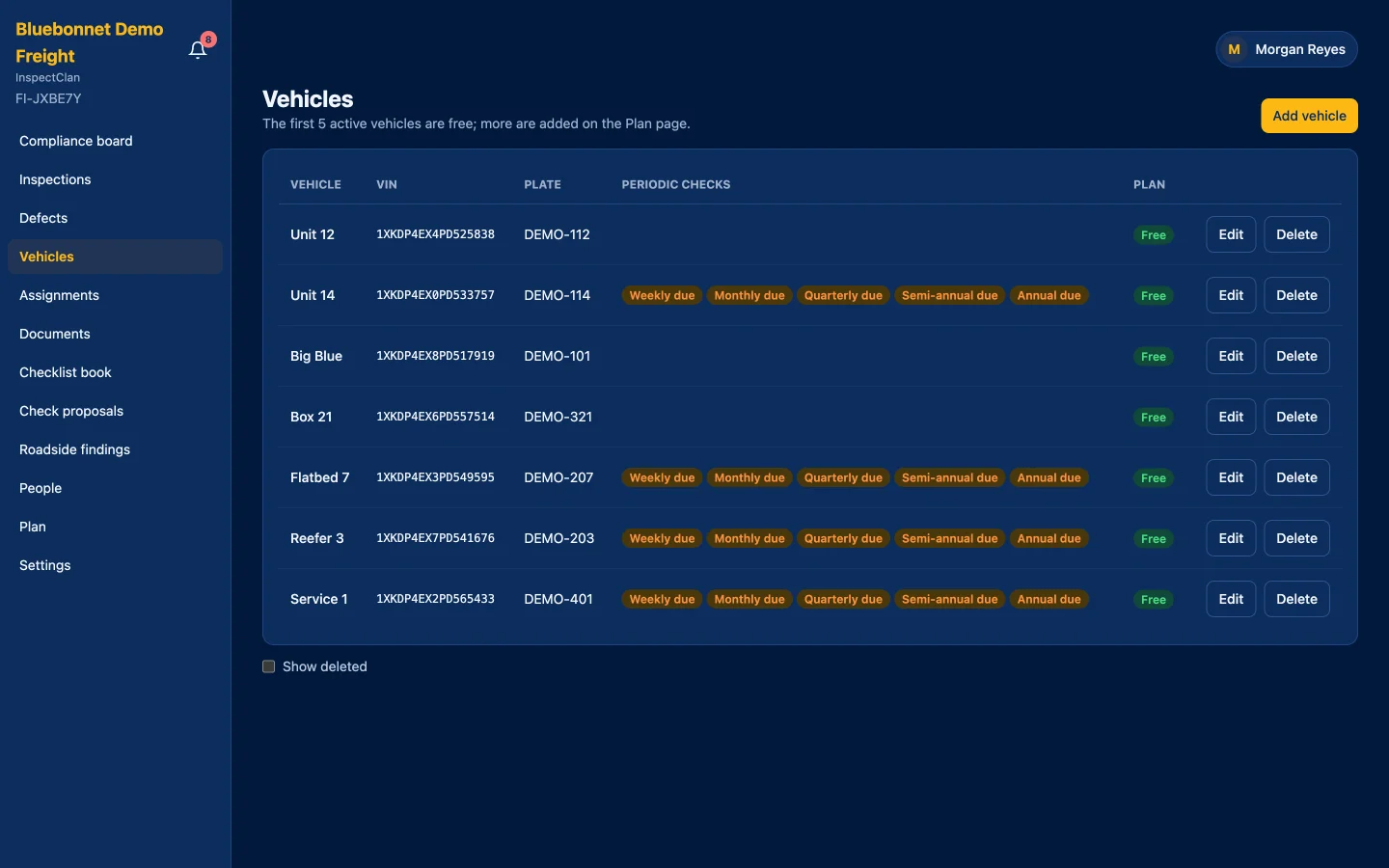
Vehicles with their inspection schedules
Vehicles and schedulesAdd by VIN, choose each vehicle's weekly / monthly checks, see what's due.
console.inspectclan.com/people
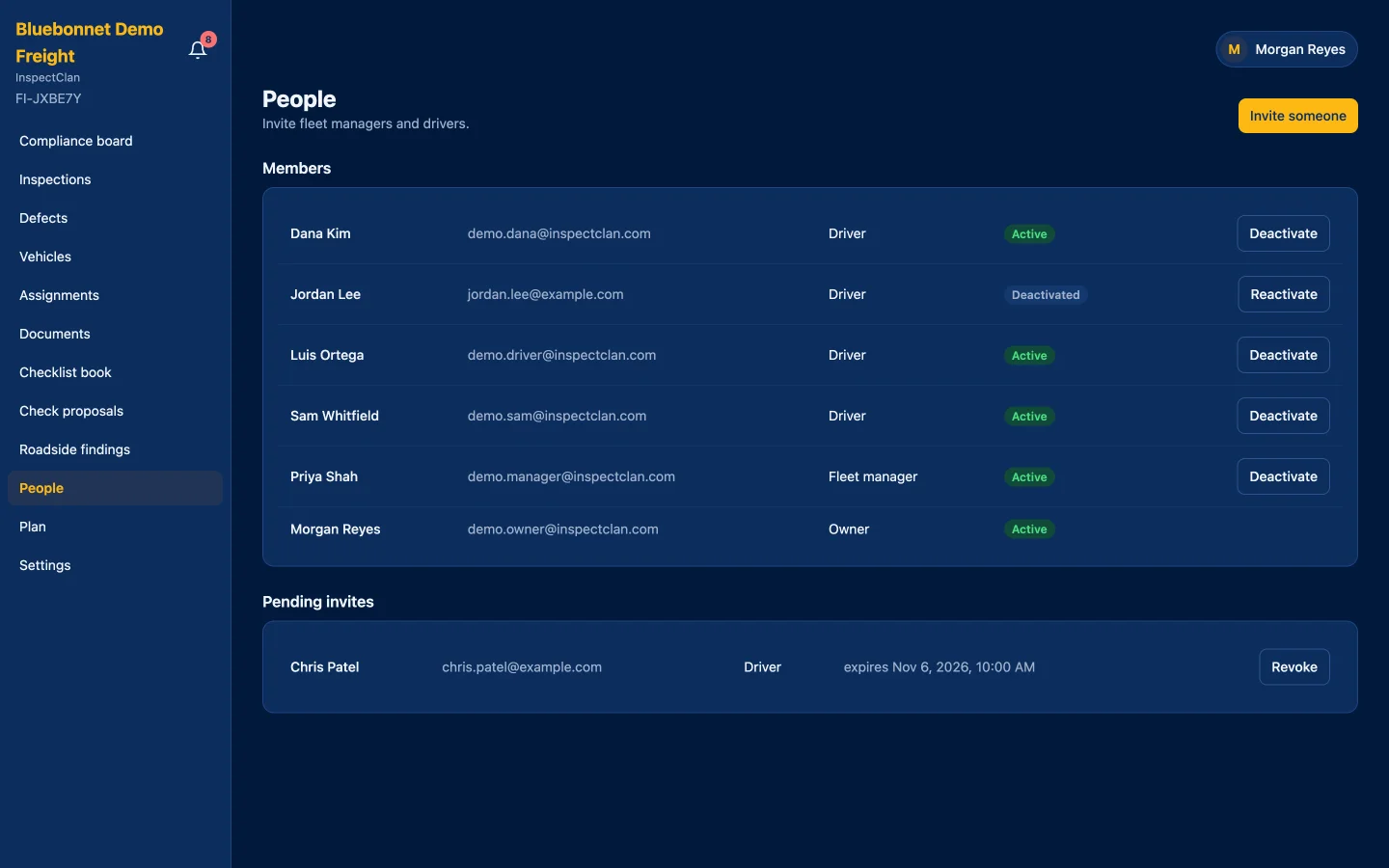
People, roles and invites
People and assignmentsInvite managers and drivers, assign vehicles daily or standing, approve vehicle requests.
console.inspectclan.com/documents
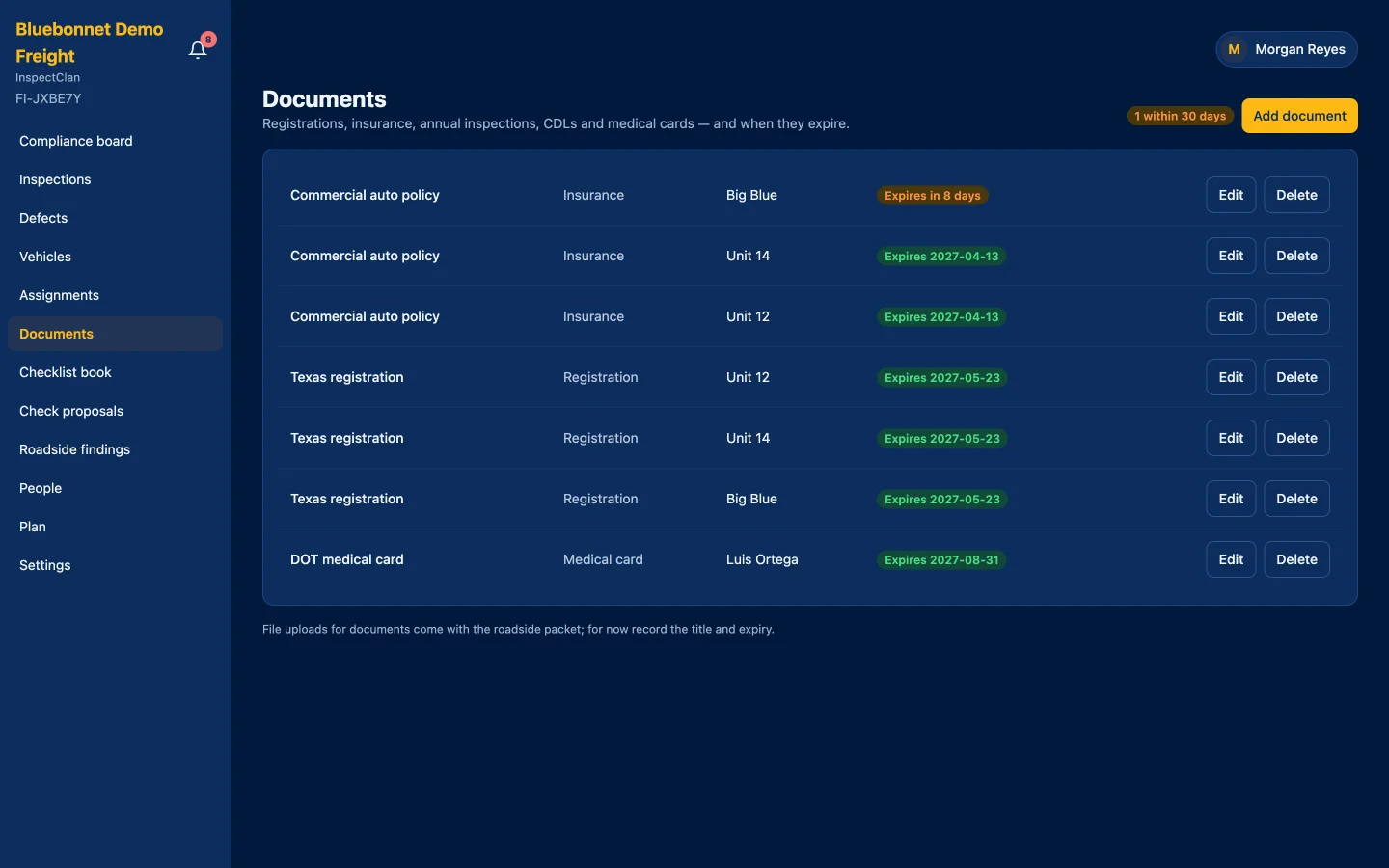
Documents with expiry alerts
Documents and alertsRegistrations, insurance, CDLs and medical cards, with alerts 30, 7 and 1 days before they expire.

Up and running in an afternoon

Create your company

Sign up on the web console with your USDOT number and add your vehicles — scan or type the VIN.

Invite your team

Send invite codes to fleet managers and drivers. Drivers install the app and join with the code.

Inspect every day

Drivers run the checklist and sign. The office reviews, fixes defects and certifies the repairs.

Made for the cab, not the desk

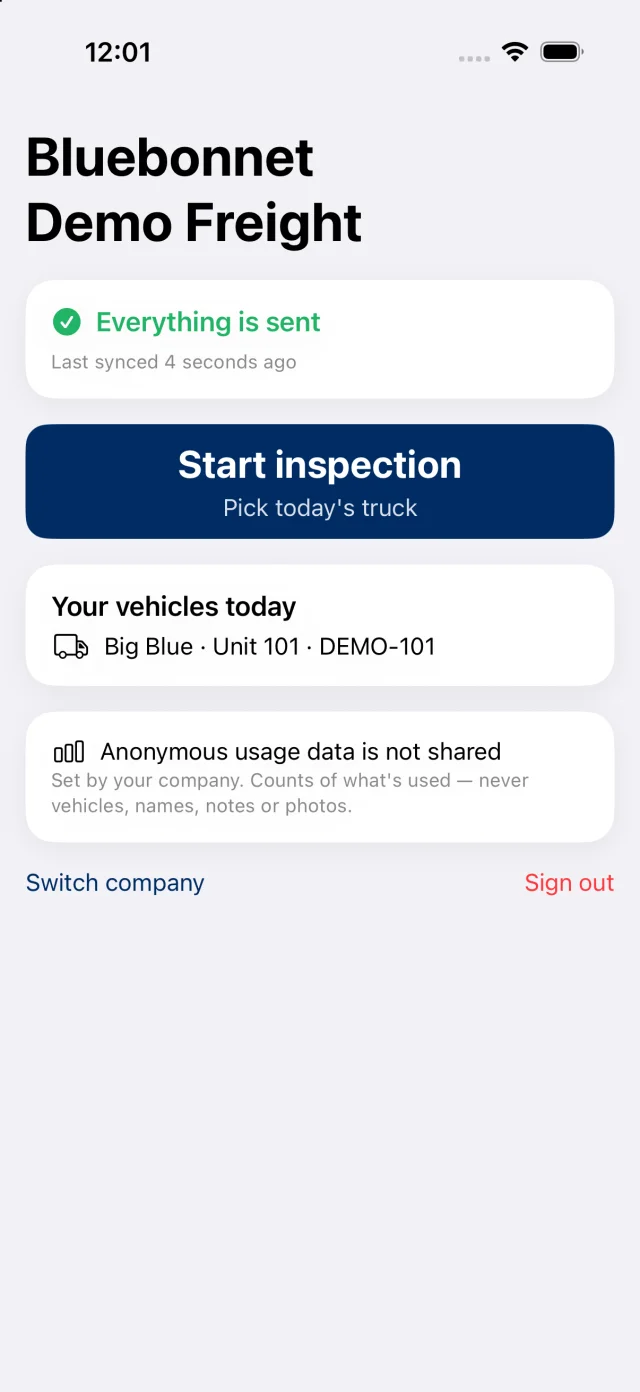
Big buttons, one check at a time, and voice dictation for notes.

Driver home: today's vehicle with the pre-trip due
Pre-trip in 2 minutes
A failed check with a photo and a note
Photo every defect
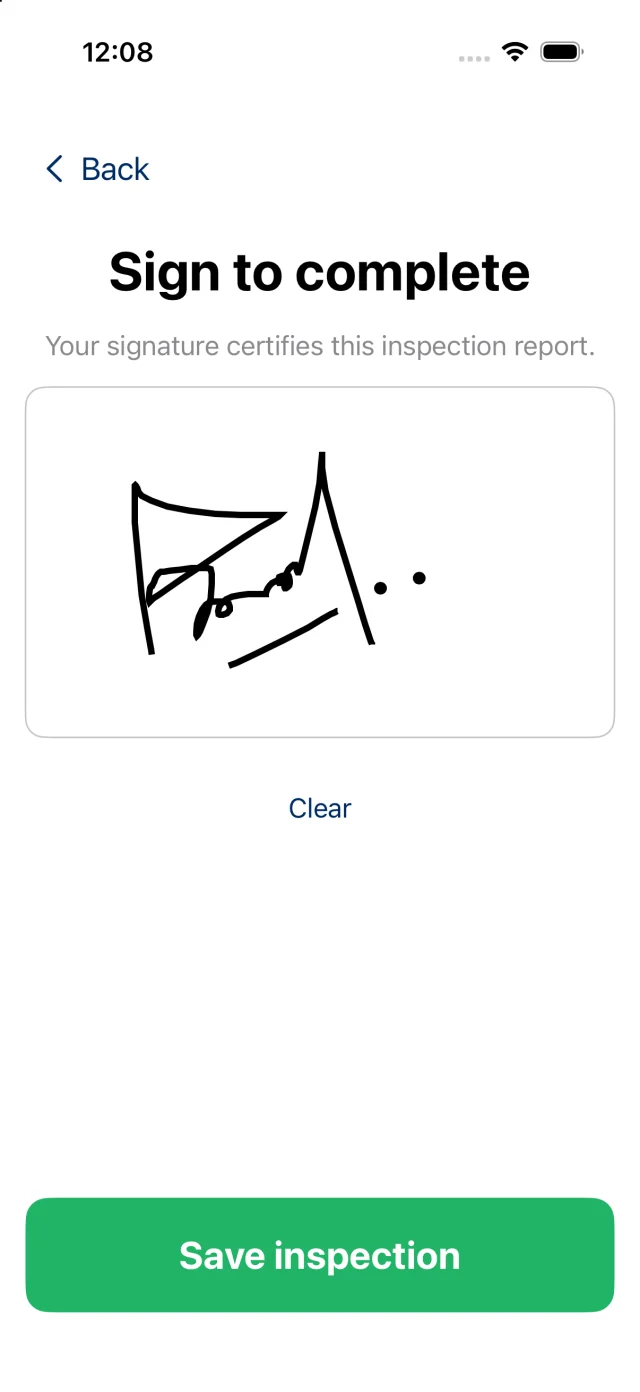
Signing the inspection
Sign it — done
Certifying a repair on the phone
Certify repairs anywhere

Simple per-vehicle pricing

Unlimited drivers and managers. Every plan keeps 90 days of records.

Starter

Free

Up to 5 vehicles

  • All features
  • Unlimited users
  • 90 days of records

Monthly

$5 / vehicle / month

Each vehicle after the first 5

  • Add or remove vehicles any time
  • Cancel any time

Start with 5 vehicles free

Set up your company on the web console, then invite your drivers.

Open the console